01 / PUT PEN TO IPAD
Think it. Ink it.
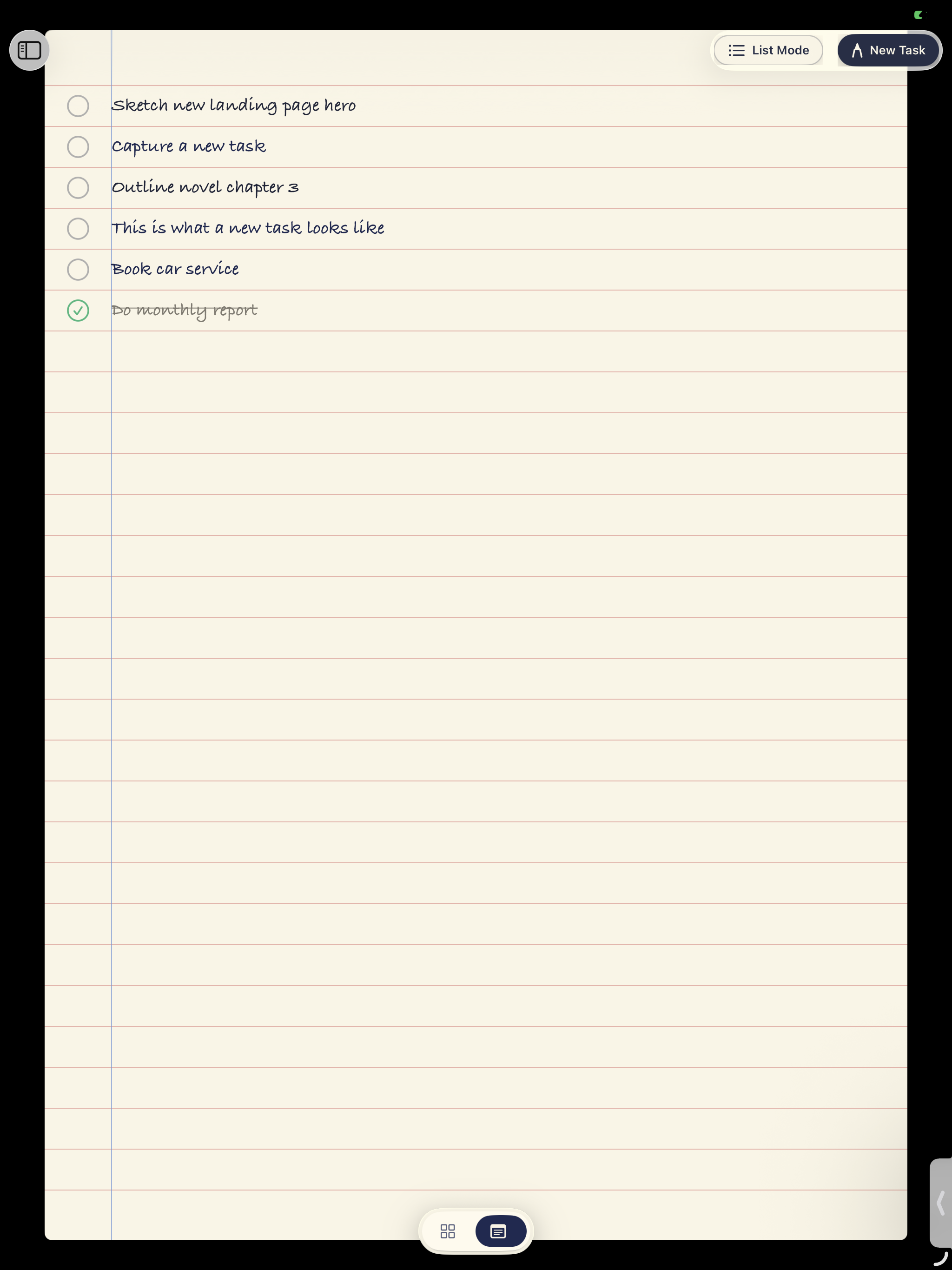
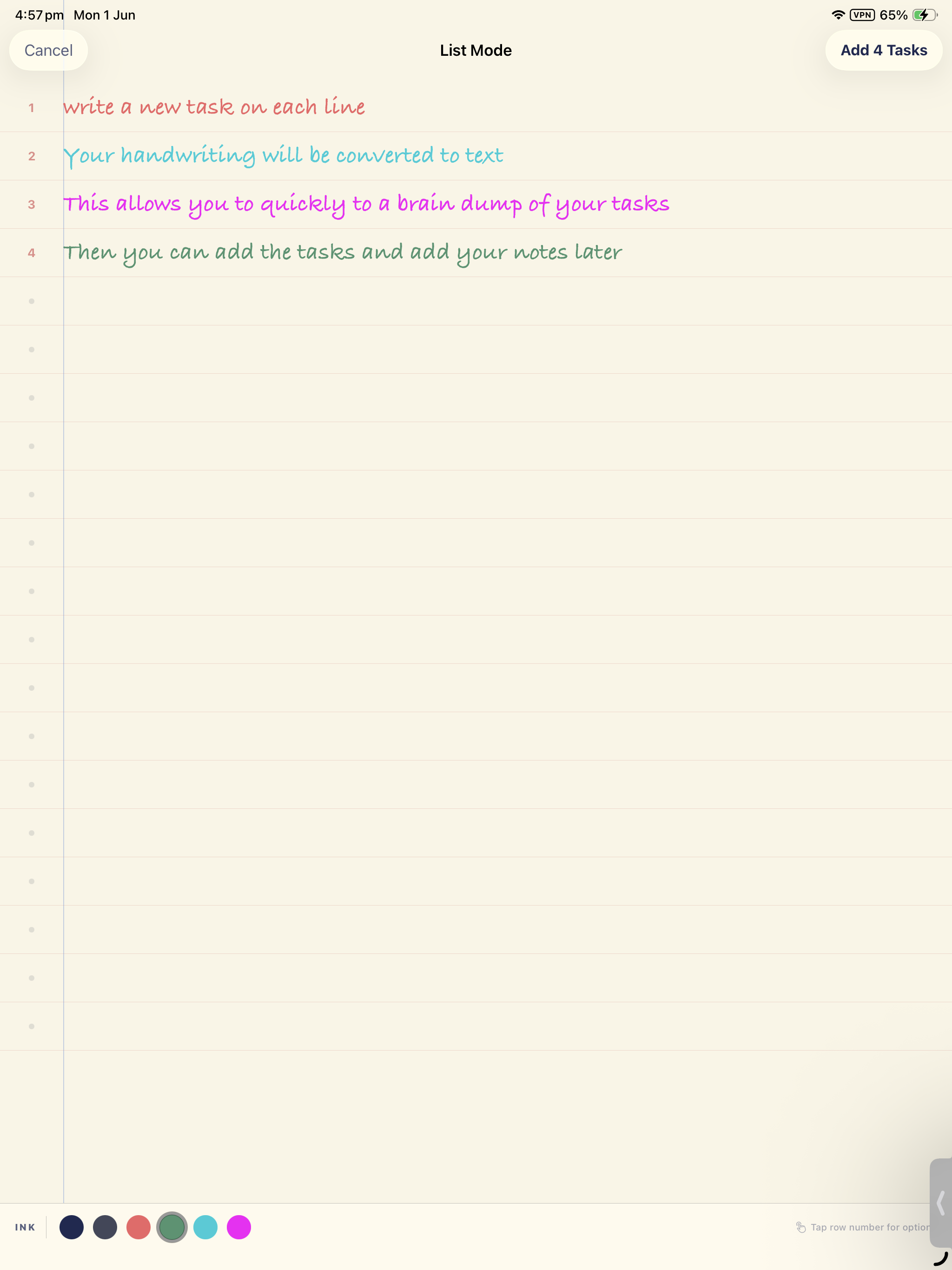
Scribble a task, add handwritten notes, or type it out. Capture a whole brain-dump in List Mode.
The feel of your favorite notebook.
The ease of a thoughtful to-do app.
A calmer way to get things done.
Made for iPad. Better with Apple Pencil.
LESS FRICTION. MORE FLOW.
All the joy of a handwritten list.
A few thoughtful things paper can’t do.
Scribble a task, add handwritten notes, or type it out. Capture a whole brain-dump in List Mode.
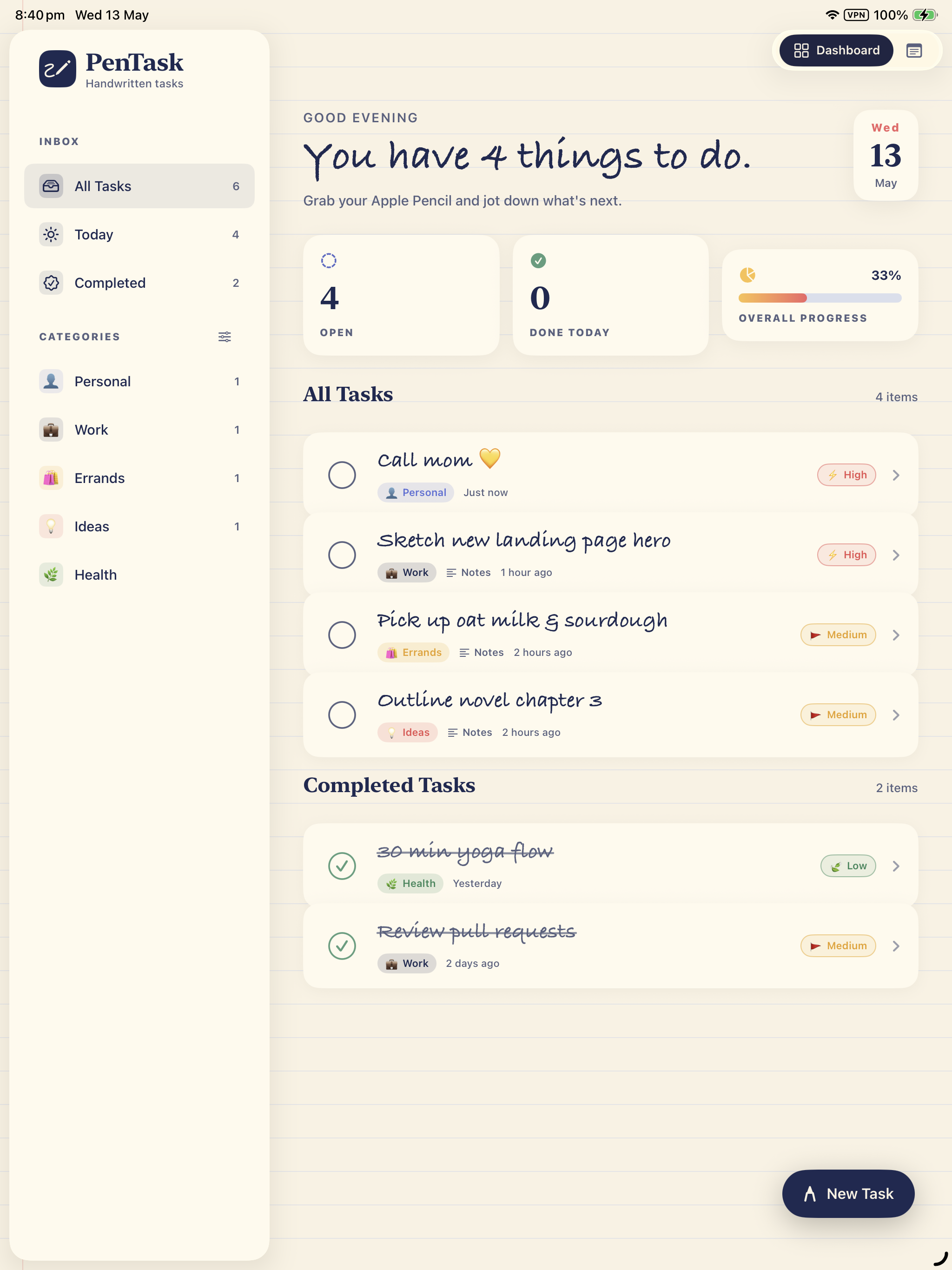
Your own categories, priorities, and due dates. A Today view that puts the right things in front of you.
Strike through a task with Apple Pencil. Or tap to check it off. Enjoy the little win — with undo if you need it.
A NOTEBOOK THAT GETS YOU
For big ideas, grocery lists, and all the wonderfully ordinary things in between.
See what’s on your plate at a glance. Your tasks, priorities, and progress come together in one warm, welcoming space.
FOR THE DOERS. THE DREAMERS. THE LIST-MAKERS.
Sometimes, all you need is a quiet place to think,
a pen in your hand, and one small thing to start.
Yes. PenTask is designed for iPad, with room to write, a paper-inspired layout, and native Apple Pencil support. It requires iPadOS 17 or later. Apple Pencil compatibility depends on your iPad model.
An Apple Pencil makes handwriting and striking through tasks feel especially natural, but it isn’t required. You can type your tasks and notes, and tap a checkbox to mark something done.
Yes. Handwritten tasks and notes are saved as ink, keeping them unmistakably yours. Prefer text? Use the typed input, which also supports Apple’s Scribble feature for entering text with Apple Pencil.
Yes. Writing, organizing, and completing your tasks work on your iPad without an internet connection. There’s no account to create, and cross-device syncing isn’t currently supported.
Your task text, notes, and handwriting are stored on your iPad and aren’t sent to our analytics service. The app shares anonymous feature-usage events with TelemetryDeck by default. You can turn this off in Settings → Privacy & usage data. This website has no analytics or tracking scripts.
YOUR NEXT CHAPTER, IN YOUR HANDWRITING
Your favorite kind of to-do list.
Now available for your favorite iPad.
 Made for iPad & Apple Pencil · iPadOS 17 or later